
SelfishNet
Download & Network Control Tool
Monitor devices, manage bandwidth, and control internet usage with SelfishNet network monitoring software.
500K+
Downloads
4.8
User Rating
100%
Free to Use
- About the Tool
What is SelfishNet?
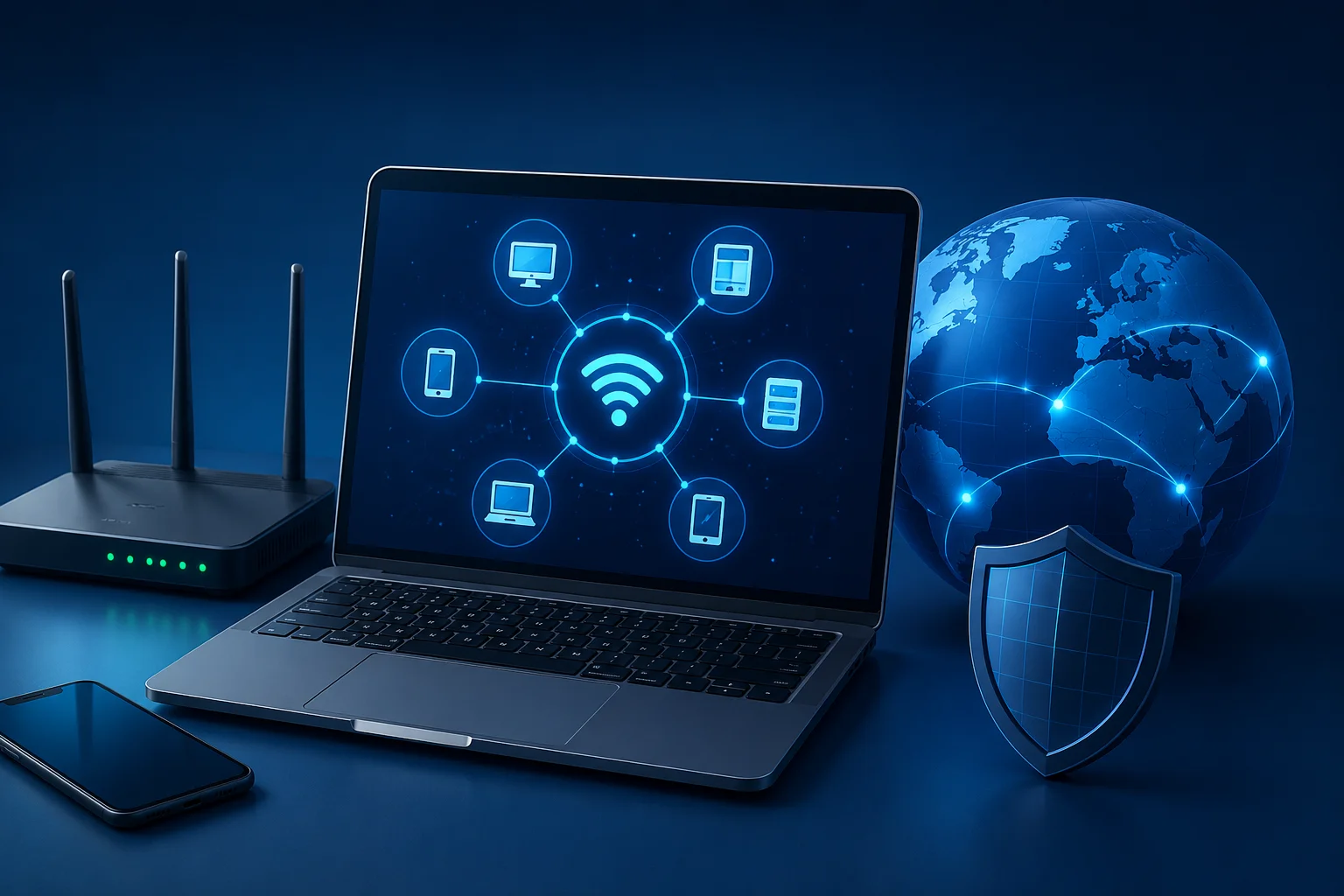
SelfishNet is a powerful network monitoring and bandwidth management tool designed to help users analyze and control internet activity on local networks. The software allows users to detect connected devices, monitor bandwidth usage in real time, and manage internet distribution efficiently. It is commonly used by home users, students, gamers, and small office administrators who want better visibility and control over their Wi-Fi or LAN network.
With its simple interface and lightweight performance, SelfishNet makes network management accessible even for beginners. Users can view detailed information about connected devices, including IP addresses and network activity, while also identifying bandwidth-heavy users that may slow down the connection. The software is widely recognized for its ability to improve network performance and help users maintain a more stable and organized internet environment.
- Key Features
Powerful Features of SelfishNet
Discover powerful network monitoring, bandwidth control, device management, and real-time traffic tracking features designed for smooth and efficient performance.
Real-Time Network Monitoring
SelfishNet provides live monitoring of all devices connected to your network. Users can instantly detect active connections, monitor network activity, and identify unknown devices accessing the internet.
Bandwidth Usage Tracking
Analyze internet bandwidth consumption across connected devices with detailed traffic monitoring to optimize network performance and reduce slowdowns.
Device Management
View IP addresses, MAC addresses, and connected device details in a clean and organized interface for better network management.
Internet Speed Control
Manage bandwidth allocation and control internet speed for specific devices to improve stability and reduce lag during online activities.
User-Friendly Interface
Enjoy a clean dashboard with quick access to monitoring tools, device information, and bandwidth management features.
Lightweight Performance
Optimized for Windows systems, SelfishNet runs smoothly without consuming excessive CPU or memory resources.
- Simple Process
How Does SelfishNet Work?
SelfishNet works by scanning your local network to detect all connected devices and monitor internet activity in real time. The software analyzes network traffic between devices and the router, allowing users to view detailed information about bandwidth usage, active connections, and device behavior. Its intelligent monitoring system helps users identify heavy internet users, manage network performance, and maintain better control over bandwidth distribution.
With a simple and organized interface, SelfishNet continuously tracks data packets traveling across the network. It collects important information such as IP addresses, MAC addresses, upload speed, and download activity to provide a complete overview of network usage. This makes it easier for users to monitor internet consumption and optimize network performance without complex configurations.
🌐 Network Scanning Functionality
SelfishNet automatically scans the local network and detects all connected devices within seconds. It identifies smartphones, computers, gaming consoles, and other devices connected to the same Wi-Fi or LAN network. Users can quickly view active connections and recognize unknown or unauthorized devices.
📡 Packet Monitoring & Traffic Analysis
The software monitors data packets transmitted across the network to analyze internet activity in real time. By tracking upload and download traffic, SelfishNet helps users understand which devices are consuming the most bandwidth and how network resources are being utilized.
🚀 Bandwidth Control System
SelfishNet allows users to manage internet speed allocation for individual devices on the network. This helps reduce excessive bandwidth usage, improve connection stability, and create a more balanced internet experience for all connected users.
- Benefits
Why Choose SelfishNet?
SelfishNet is designed to provide users with better control, visibility, and management of their local network activity. Whether you want to monitor connected devices, improve internet performance, or manage bandwidth distribution, the software offers a simple and efficient solution for home and small office environments. Its lightweight design and easy-to-use interface make network monitoring accessible for both beginners and advanced users.
Improve Network Management
SelfishNet helps users monitor and organize network activity more efficiently. By displaying connected devices and real-time internet usage, the software allows users to maintain better control over their network performance and bandwidth allocation.
Detect Unknown Devices
The software scans the local network and identifies all active devices connected to the internet. This feature helps users detect unauthorized or unknown connections that may affect network security and internet speed.
Optimize Internet Speed Distribution
SelfishNet makes it easier to balance bandwidth usage between connected devices. Users can identify heavy internet consumers and manage network traffic to improve stability, reduce lag, and create a smoother online experience.
Easy Setup and Installation
The software features a simple installation process and a user-friendly interface that allows users to start monitoring their network quickly. Even beginners can easily navigate the dashboard and access important network management tools.
Suitable for Home & Small Office Networks
SelfishNet is ideal for personal Wi-Fi networks, gaming setups, and small office environments. Its lightweight performance and practical monitoring features make it a reliable solution for managing internet usage in everyday networking situations.
- Technical Specs
System Requirements
Before installing SelfishNet, users should ensure their system meets the basic hardware and software requirements for stable performance and smooth network monitoring. The software is lightweight and designed to run efficiently on most Windows-based computers without requiring high-end system resources. Meeting the recommended requirements helps ensure accurate network scanning, bandwidth monitoring, and reliable device management.
Operating System Compatibility
SelfishNet is primarily designed for Windows operating systems and works best on supported Windows versions. Users should install the software on a compatible system to ensure proper network detection and monitoring functionality.
- Windows 7
- Windows 8 / 8.1
- Windows 10
- Windows 11
RAM Requirement
The software requires minimal memory resources to operate efficiently. Even systems with basic hardware configurations can run SelfishNet smoothly while monitoring local network activity in real time.
- Minimum: 2 GB RAM
- Recommended: 4 GB RAM or higher
Processor Requirement
SelfishNet does not require a powerful processor, making it suitable for older computers and lightweight systems. A standard dual-core processor is generally sufficient for stable performance.
- Intel or AMD Dual-Core Processor
- 1 GHz or Higher CPU Speed
Network Adapter Support
A compatible and properly installed network adapter is essential for detecting connected devices and monitoring traffic. The software works best with updated Ethernet or Wi-Fi network drivers.
- Ethernet Adapter
- Wireless Wi-Fi Adapter
- Updated Network Drivers
Administrator Permissions
SelfishNet requires administrator access to monitor network traffic and manage bandwidth features properly. Running the software with administrator permissions ensures full functionality and accurate network analysis.
- Installation
How to Install SelfishNet
Installing SelfishNet is simple and only requires a few basic steps. Once installed correctly, the software allows users to monitor connected devices, analyze network activity, and manage bandwidth usage efficiently. Follow the installation process below to set up SelfishNet on your Windows computer.
Download the Software
Begin by downloading the latest version of SelfishNet from a trusted source. Make sure the downloaded file is compatible with your Windows operating system to avoid installation issues or software errors.
Extract Installation Files
After downloading the compressed ZIP or RAR package, extract the files using extraction software such as WinRAR or 7-Zip. Place the extracted folder in an easily accessible location on your computer.
Run as Administrator
Open the extracted SelfishNet application and launch it using the “Run as Administrator” option. Administrator permissions are necessary for proper network detection, packet monitoring, and bandwidth management functionality.
Select Network Adapter
Once the software starts, choose the active network adapter connected to your internet connection. This may include your Wi-Fi adapter or Ethernet connection depending on your setup.
Start Monitoring Devices
After selecting the network adapter, start the scanning process to detect connected devices on the local network. SelfishNet will display active users, IP addresses, bandwidth usage, and other network activity information in real time.
- Screenshots
See SelfishNet in Action
Explore the clean and user-friendly interface of SelfishNet through real-time monitoring screens and network management previews. The software is designed to provide quick access to connected device information, bandwidth activity, and network analysis tools within a simple dashboard layout. These screenshots help users understand how SelfishNet works before installation and demonstrate its practical network monitoring capabilities.
Dashboard Preview
The main dashboard provides a complete overview of network activity in a clean and organized interface. Users can quickly access connected device information, monitor bandwidth usage, and manage network settings from a single screen.
Device Monitoring Screen
The device monitoring interface displays all active devices connected to the local network. Users can view important details such as IP addresses, MAC addresses, connection status, and real-time internet activity for each device.
Bandwidth Management Interface
This section highlights the bandwidth control features available in SelfishNet. Users can monitor internet speed consumption, identify bandwidth-heavy devices, and manage network traffic distribution for improved connection stability.
Network Scanning Example
The network scanning screen demonstrates how SelfishNet detects connected devices in real time. It provides a detailed overview of network activity, helping users identify unknown connections and monitor overall network performance efficiently.
- Use Cases
Common Use Cases
SelfishNet is widely used for monitoring, managing, and optimizing local network performance in both personal and professional environments. Its real-time monitoring capabilities and bandwidth management tools make it useful for users who want better control over internet activity and connected devices.
Home Wi-Fi Monitoring
Monitor all devices connected to your home Wi-Fi network in real time. SelfishNet helps users track internet activity, identify connected smartphones, laptops, smart TVs, and maintain better control over household internet usage.
Small Office Network Management
Small businesses and office users can use SelfishNet to monitor employee internet activity, manage connected systems, and maintain stable network performance for daily operations and productivity.
Bandwidth Optimization
SelfishNet helps users identify bandwidth-heavy devices and manage internet speed distribution more efficiently. This improves connection stability, reduces lag, and creates a smoother online experience for all connected users.
Detecting Unauthorized Users
The software scans the network and displays all active devices connected to the router. This helps users identify unknown or unauthorized connections that may affect network security or internet speed.
Monitoring Network Activity
SelfishNet provides real-time traffic analysis, allowing users to monitor upload and download activity across the network. This helps users understand internet consumption patterns and optimize overall network performance.
- Honest Review
Pros & Cons of SelfishNet
SelfishNet offers useful network monitoring and bandwidth management features that help users control internet activity more efficiently. While the software is lightweight and easy to use, users should also understand its limitations before using it on modern networks or secured systems.
Pros of SelfishNet
Easy to Use
SelfishNet features a simple and organized interface that makes network monitoring accessible for beginners and advanced users. Users can quickly scan networks, view connected devices, and monitor internet activity without complicated configurations.
Lightweight Tool
The software is designed to run smoothly on most Windows systems without consuming excessive CPU or memory resources. Its lightweight performance makes it suitable for older computers and everyday network management tasks.
Effective Network Monitoring
SelfishNet provides real-time monitoring of connected devices, bandwidth usage, and internet traffic activity. This helps users identify network issues, monitor internet consumption, and maintain better control over local network performance.
Cons of SelfishNet
Limited Support for Modern Secured Routers
Some modern routers and advanced network security systems may restrict or block certain monitoring features used by SelfishNet. As a result, the software may not function properly on highly secured or updated network environments.
May Trigger Antivirus Warnings
Because SelfishNet interacts directly with network traffic and monitoring processes, some antivirus programs may flag the software as suspicious or potentially harmful. Users should always download it from trusted sources and use it responsibly.
Windows-Focused Software
SelfishNet is primarily designed for Windows operating systems and has limited compatibility with other platforms such as macOS or Linux. Users outside the Windows ecosystem may need alternative network monitoring tools.
- Compare Tools
SelfishNet vs Alternatives
See how SelfishNet stacks up against other popular network management tools.
- User Reviews
What Users Are Saying
Discover how users are using SelfishNet to monitor network activity, manage bandwidth usage, and improve internet performance in home and office environments. These reviews highlight the simplicity, efficiency, and practical benefits of the software for everyday network management.
"Finally I can game without lag! My roommate was always streaming and killing my ping. SelfishNet solved it in 2 minutes. Absolute lifesaver for shared apartments."
Alex M.
Gamer & Student"As a parent, this tool is gold. I can limit my kids' internet speed during homework time and block access completely at bedtime. No arguments, just control."
David R.
Parent of 3"I use this in my office to make sure the conference room always has priority bandwidth during video calls. Simple, effective, and free. What more could you want?"
Sarah K.
Office Manager- Common Questions
Frequently Asked Questions
Find answers to the most common questions about SelfishNet, including installation, compatibility, network monitoring features, bandwidth management, troubleshooting, and software functionality.
SelfishNet is a network monitoring and bandwidth management tool that helps users detect connected devices, analyze internet activity, and manage bandwidth usage on local networks.
Yes, SelfishNet is generally available as a free software tool for personal network monitoring and bandwidth management purposes.
SelfishNet primarily supports Windows operating systems, including Windows 7, Windows 8, Windows 10, and Windows 11.
SelfishNet can be safe when downloaded from trusted sources and used responsibly on networks you own or manage.
Yes, the software features a simple and user-friendly interface that makes network monitoring accessible for beginners.
Users need to download the software, extract the files, run the application as administrator, and select their active network adapter.
Administrator permissions are required for proper network scanning, packet monitoring, and bandwidth management functionality.
No, internet access is not usually required for installation, but an active network connection is necessary for monitoring devices.
This issue may occur because of unsupported network adapters, outdated drivers, firewall restrictions, or modern router security settings.
Yes, the software supports both wireless Wi-Fi adapters and Ethernet network connections.
SelfishNet can monitor connected devices, bandwidth usage, upload/download activity, IP addresses, and network traffic in real time.
Yes, the software scans the local network and displays all active devices connected to the router.
Yes, users can manage bandwidth allocation and monitor internet usage for connected devices.
SelfishNet helps users identify bandwidth-heavy devices and optimize network traffic distribution for better stability.
Yes, SelfishNet is designed to run efficiently without consuming excessive system resources.
Some antivirus programs may detect SelfishNet as suspicious because it interacts directly with network traffic and monitoring processes.
Some advanced or highly secured routers may limit certain monitoring features used by the software.
No, a compatible Wi-Fi or Ethernet network adapter is required for scanning and monitoring network activity.
Yes, SelfishNet can be useful for small office environments that need basic network monitoring and bandwidth management.
Popular alternatives include Wireshark, GlassWire, NetCut, Angry IP Scanner, and SoftPerfect Network Scanner.